Where to Register for Thailand’s Tourist e-Wallet: TAGTHAi Easy Pay
Register for TAGTHAi Easy Pay, a tourist e-Wallet for Thai QR payments. Find participating KBank FX Booths in Bangkok and across Thailand.
Traveling to Thailand is now easier for international visitors!
Simply get TAGTHAi Easy Pay, the first tourist e-Wallet for foreign tourists. Then, experience cashless payments just like Thai locals.

How to register for TAGTHAi Easy Pay
- Download TAGTHAi app
- Create account and tap Easy Pay
- Complete the available pre-registration steps before visiting KBank FX Booth
- Visit a participating KBank FX Booth
- Bring your passport and eligible foreign currency
- Verify your identity and complete the registration
- Exchange the foreign currency into Thai baht for your e-Wallet
- Receive your Wallet information
Once it verified, you are ready to scan and pay at participating merchants nationwide! For more information about KASIKORNBANK FX Booth, please call K-Contact Center at 02-888-8888
Why Should You have TAGTHAi Easy Pay?
Thailand is supporting a cashless society, and now tourists can enjoy the same convenience. Here’s why you should have TAGTHAi Easy Pay while travelling in Thailand.
- Easy cashless payments: Scan and pay at restaurants, shops, and attractions across Thailand.
- Speical exchange rates: Enjoy competitive currency exchange rates when loading your prepaid card.
- Secure transactions: No need to carry large amounts of cash – your e-Wallet keeps your money safe.
- Widely accepted: Use your card anywhere in Thailand that accepts VISA.
Where to Register Easy Pay in Thailand
To start experiencing cashless payment in Thailand, download TAGTHAi application is the first step. Then, go to participating KASIKORN exchange booths. Here are the top locations to find booths:

Remark:
Before visiting booth locations, check the map and operating hours before heading to KBank FX Booth.
Suvarnabhumi International Airport
- 1701 SVB Building Exit Gate 1 [Map]
- 1702 SVB Building Exit Gate 6 [Map]
- 1704 SVB Building Exit Gate 9 [Map]
- 1705 SVB Arrival Concourse C - Domestic [Map]
- 1706 SVB Baggage Claim Row 4-5 [Map]
- 1707 SVB Arrival Concourse C [Map]
- 1708 SVB Baggage Claim 9-10 [Map]
- 1709 SVB Terminal Gate D6 [Map]
- SVB Health Control (West) [Map]
- SVB Arrival Concourse F [Map]
- SVB Baggage Claim Row 18-19 [Map]
- SVB Baggage Claim Row 20-21 [Map]
- SVB Baggage Claim Row 21-22 [Map]
- Suvarnabhumi Airport (2nd floor, Airside / Arrival) [Map]
- Suvarnabhumi Airport (2nd floor, Landside / Arrival) [Map]
- Suvarnabhumi Airport 1930 (SAT-1 / Arrival) [Map]
- Suvarnabhumi Airport 1931 (SAT-1 / Arrival) [Map]
- Suvarnabhumi Airport 1934 (Arrival) [Map]
- Suvarnabhumi Airport 7th floor (Arrival) [Map]
- Suvarnabhumi Airport 2nd floor (Arrival) [Map]
Airport Link
- Airport Link Prayathai Station [Map]
- Airport Link Suvarnabhoomi Station [Map]
- Airport Link Suvarnabhoomi Station II [Map]

Donmueang International Airport
- 1887 Donmueang International Airport 6
- 1888 DMK Floor 1 North Zone Building 1
- 1889 DMK Floor 1 Exit A Building 1
- 1890 DMK Floor 1 South Zone Building 1
- 1891 Donmueang International Airport 2
- 1892 DMK Floor 1 Baggage Claim 2 Building 1
If you haven't got your card at the airport, you can still pick one up at these convenient locations:
Bangkok: Shopping Malls
- MBK Center: 2nd Floor
- Platinum Fashion Mall : Food Court Zone
- Platinum Fashion Mall : 5th floor
- Platinum Fashion Mall: 1st Floor
- Siam Paragon: Ground Floor
- ICONSIAM: Sook Siam Zone
- ICONSIAM: 4th Floor
- Asiatique the Riverfront, room no. KK34
- Asiatique the Riverfront II, room no. KK25
- Tha MaHaraj, 1st floor

Bangkok: Nearby BTS stations
Here’s how to find exchange booths from nearby BTS stations.
BTS Station: Siam
- Take BTS to Siam Station
- Walk into Siam Paragon, go to the MF floor
- Take the right-side escalator down to GF (Ground Floor)
- Walk straight and then turn left. The booth is about 100 meters ahead on the left side
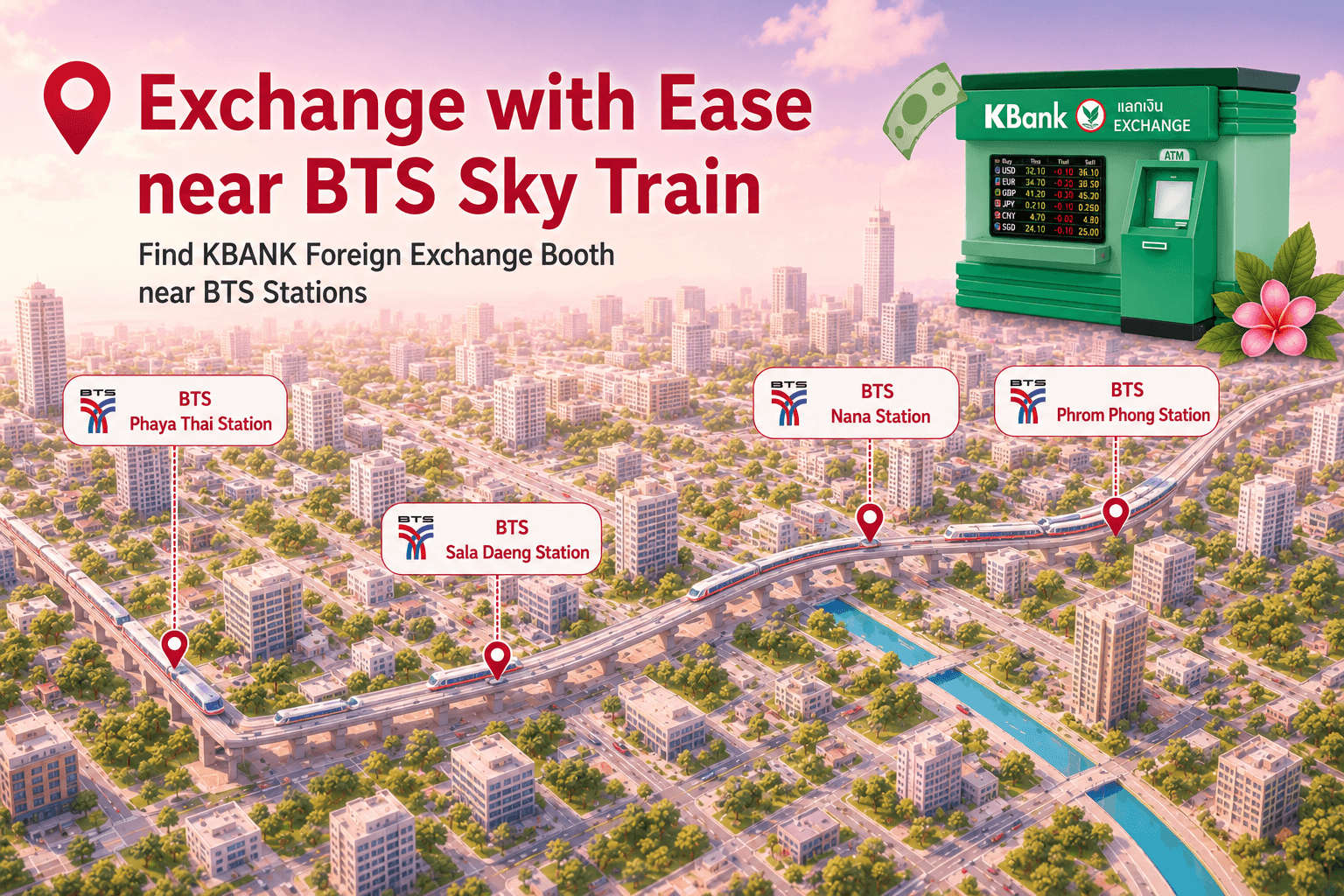
BTS Station: Phrom Phong [Map]
- Get off at Phrom Phong Station and walk straight to Sukhumvit 33 for 150 meters. The booth is located nearby Samachawanich Building 2
- The booth is in front of the building, on the left side
BTS Station: BTS Nana
- Get off at Nana Station
- Location 1: Walk straight to Nana intersection, Soi Sukhumvit 6 (about 50 meters) The booth is on the left side [Map]
- Location 2: Walk to Nana intersection around 250 meters then turn left into Soi Sukhumvit 4 and walk about 100 meters. The booth is on the left [Map]
BTS Station: Sala Daeng [Map]
- Get off at Sala Daeng Station
- From Soi Thaniya - walk 10 meters towards Yada Building
- The booth is on the right side
Chiang Mai
- Central Festival Chiang Mai
- MaYa Chiang Mai
- Tha Phae Gate


Frequently asked questions
Can I register online?
You can complete the available pre-registration steps in the TAGTHAi app, but final registration and identity verification must be completed in person at a participating KBank FX Booth
What do I need to register?
Bring your original passport and eligible foreign currency. Applicants must be foreign nationals aged 20 or above, and each applicant is limited to one e-Wallet.
Can I top up the Wallet with Thai baht?
No. The current KBank Tourist Wallet Sales Sheet states that Wallet top-ups at KBank FX Booths are not available in Thai baht. Eligible foreign currency must be exchanged into Thai baht through the booth before funds are added to the Wallet.
Can I add a credit or debit card to Easy Pay?
Yes. You can add a supported credit or debit card directly in TAGTHAi Easy Pay. Just open Easy Pay, then go to Settings, select “Credit/Debit Card,” and tap “Add Credit/Debit Card.” Enter your card details and complete the OTP verification. Once the card has been added successfully, it is ready to use with Easy Pay.
Where can I use TAGTHAi Easy Pay?
You can use the TAGTHAi app to scan supported Thai QR Payment codes at participating merchants in Thailand. Cash withdrawals are also available at KASIKORNBANK ATMs